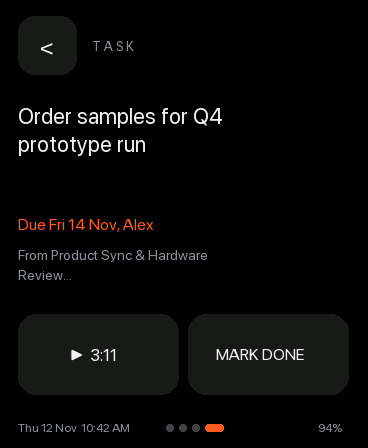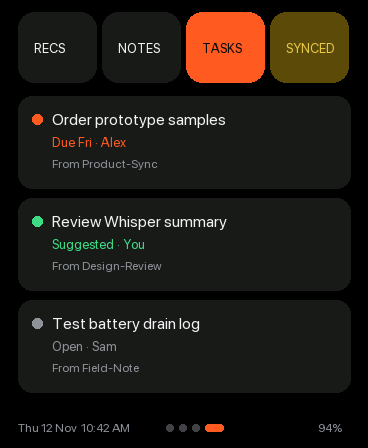
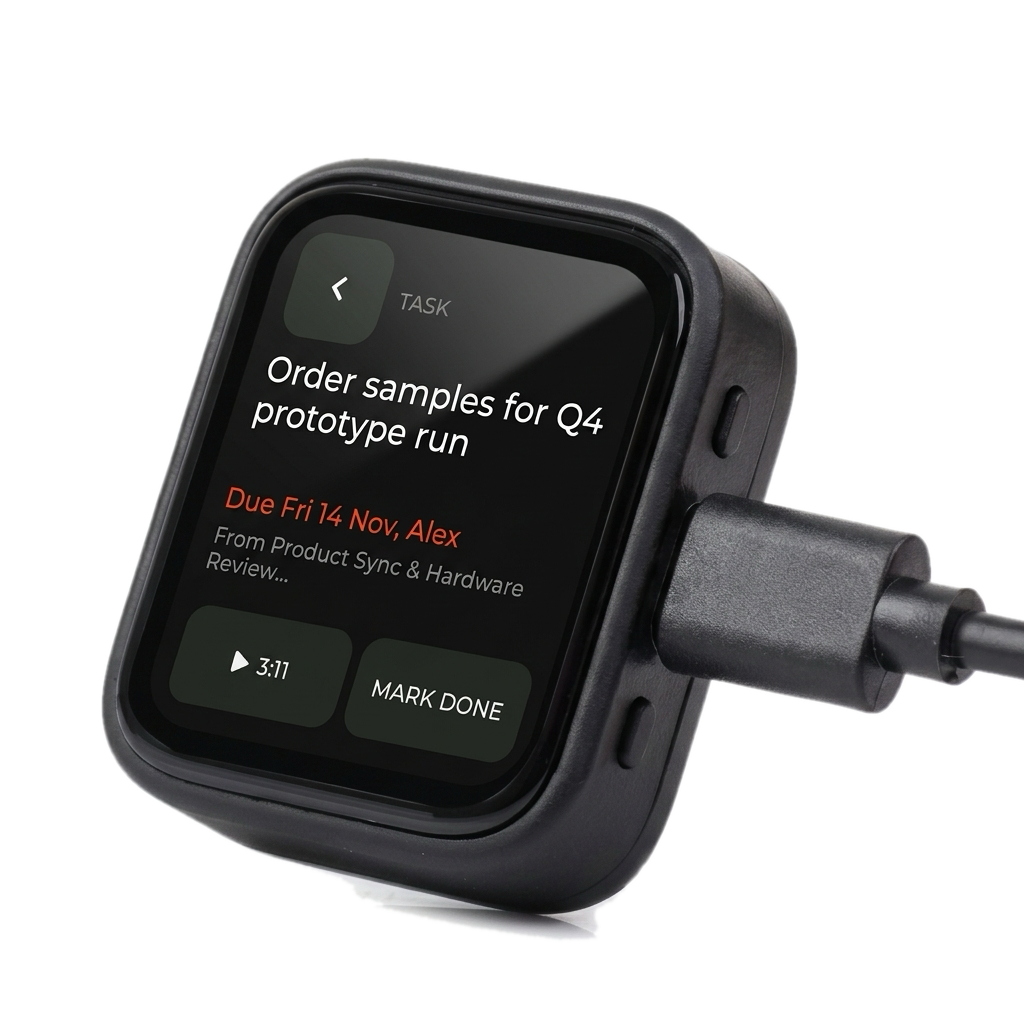
Pocket-AI-S3 plugged into USB-C showing a Task detail view with audio playback and Mark Done
Actionable meeting follow-ups

On-Device Tasks & Audio Playback

Review action items extracted from your meetings, jump straight to the exact audio clip, and mark tasks done from your pocket.

  • Action items are extracted with owner and due-date parsing in Python
  • One-tap audio playback jumps to the source meeting clip on-device
  • Two-way sync updates Obsidian checkboxes and the web console /notes/tasks view
  • Desk charging over USB-C keeps your library and tasks synced continuously
SyncTwo-Way Obsidian
PlaybackOnboard Speaker / BT
PowerUSB-C + AXP2101 PMIC
Screen-Only Captures (368×448)

What this screen shows

Tasks List & Status (v1)

Tasks List & Status (v1)

Displays open and AI-suggested tasks with due dates, assignees, and source meeting links.
Task Detail & Audio Jump (v1)

Task Detail & Audio Jump (v1)

Shows full task text, due date, source meeting, one-tap audio jump (▶ 3:11), and Mark Done.
Tasks AI Chat & Breakdown (v1)

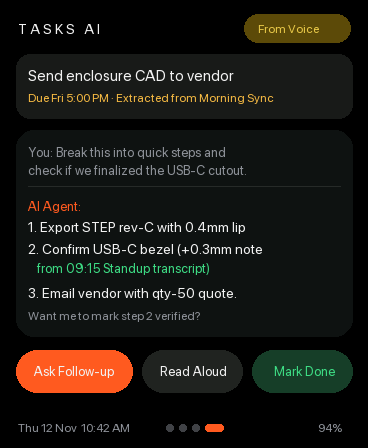
Tasks AI Chat & Breakdown (v1)

Ask your AI Agent follow-up questions on any extracted task, verify transcript context, read aloud, or mark done.